Introduction
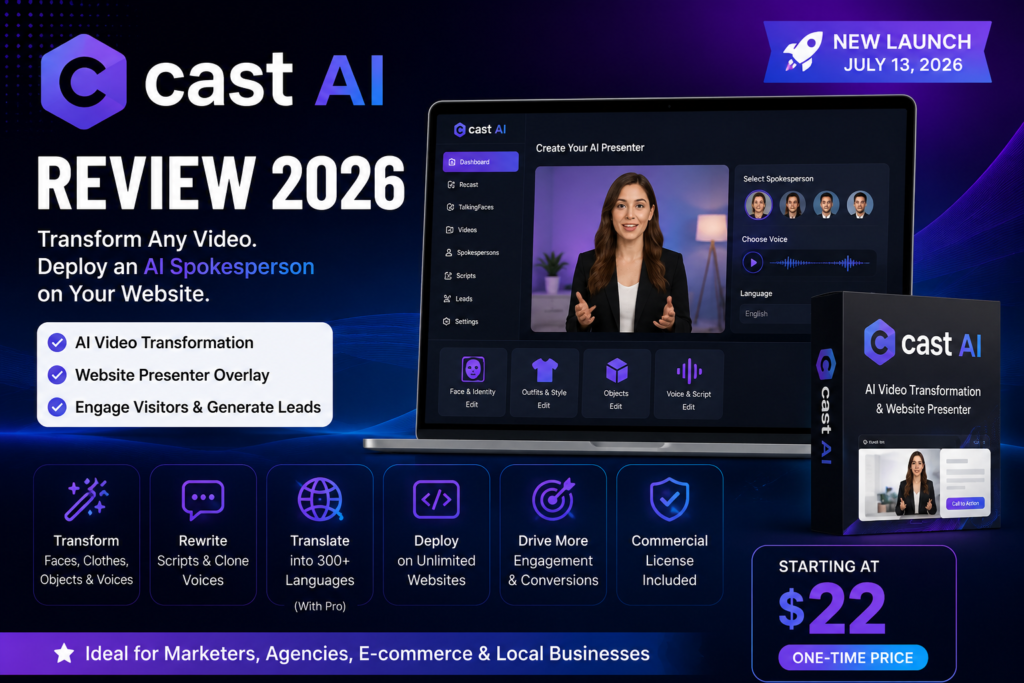
This Cast AI review examines a newly launched AI video platform designed to transform existing talking-head videos and place the finished presenter directly on a website. Instead of stopping at avatar creation, Cast AI combines video transformation with an embeddable website spokesperson.
Its first engine, Recast, changes elements such as the presenter’s face, clothing, objects, voice, and spoken script. Its second engine, TalkingFaces, turns the resulting video into a floating or inline website presenter with clickable buttons and lead-generation elements. The official launch took place on July 13, 2026. ept is interesting, especially for affiliate marketers, agencies, online stores, coaches, and local businesses. However, the promotional pages also contain ambitious conversion and production claims that are not supported by published testing methodology. Some parts of the sales page also conflict with its detailed pricing section.
For that reason, this review separates confirmed product information from promotional language. It does not assume that Cast AI will automatically increase conversions or replace professional video production in every situation.
Cast AI should also not be confused with CAST AI, the separate Kubernetes cloud-cost optimization company whose reviews appear on platforms such as G2. The product reviewed here is the AI video platform available through.
Cast AI Product Overview
| Item | Verified information |
|---|---|
| Product | CastAI |
| Category | AI video transformation and website presenter software |
| Main engines | Recast and TalkingFaces |
| Launch date | July 13, 2026 |
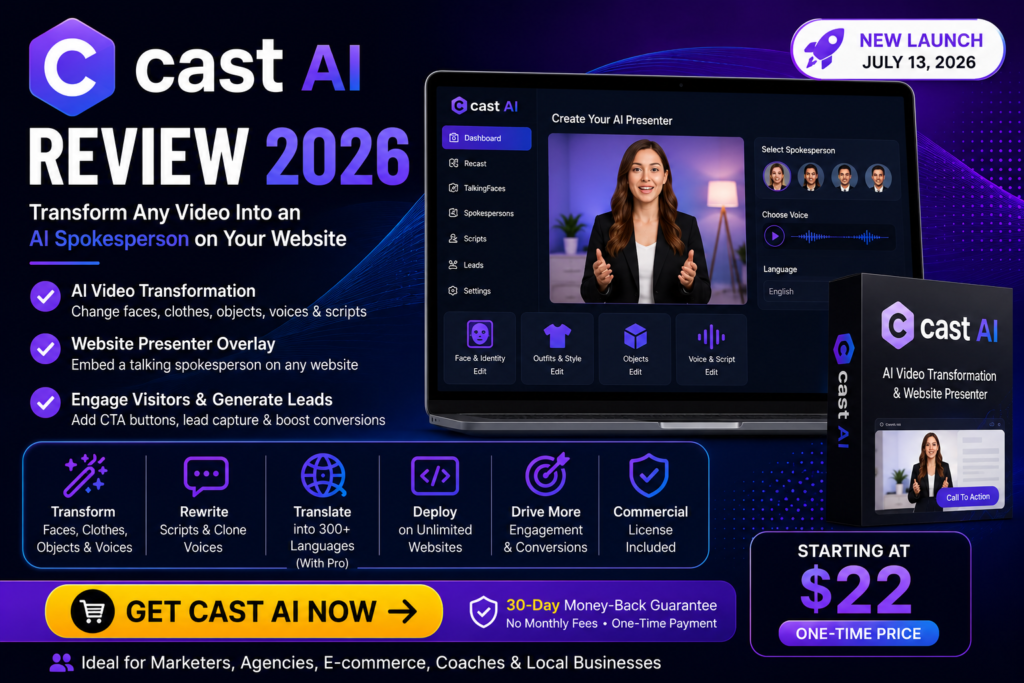
| Current front-end price | Core: $22 one-time; Full: $25 one-time |
| Video quality | 720p on the front-end plans |
| Starting credits | 1,800 with Core; 3,000 with Full |
| Commercial licence | Included with both front-end plans |
| Refund period | Advertised 30-day money-back guarantee |
| Retailer | JVZoo |
| Listed launch team | LuAnn Beckman, Todd Gross, Oliver Goodwin and Dinesh Taunk |
| Best suited to | Marketers, agencies, e-commerce businesses, creators and freelancers |
The current public sales page lists Core at $22 and Full at $25. The JV page uses launch wording of “$22+ Core” and “$24+ Full,” showing that the price may be dynamic. Buyers should confirm the amount displayed on the final checkout page. ner page identifies LuAnn Beckman, Todd Gross, Oliver Goodwin and Dinesh Taunk as members of the team. The linked legal terms identify Nooveau Media in connection with Synthesys.io rather than presenting a separate CastAI legal entity. This does not prove there is a problem, but buyers handling client data may want to clarify the contractual entity and support arrangements. What Is Cast AI?
Cast AI is a browser-based AI video platform built around two related tasks.
The first task is modifying an existing video. A user can upload a recording and use the Recast engine to alter the presenter, clothing, visual style, displayed objects, voice, or script. The platform advertises support for MP4, MOV and WebM uploads. nd task is publishing that video as a website presenter. Cast AI Review
That difference is important. Cast AI is not primarily positioned as a long-form training-video editor or cinematic AI video generator. Its strongest use case is short presenter-led marketing content.
Main CastAI Features
1. Face and Identity Transformation
Cast AI can change the visible identity of a person in an uploaded talking-head video while preserving the original performance and movements as closely as possible. As a result, agencies can create multiple presenter variations from a single approved base video without filming new footage for every version.Cast AI Review
However, users should transform only the faces, voices, and recordings they own or have permission to use. Additionally, they should not interpret the sales page’s suggestion that users can upload “someone else’s recording” as permission to ignore copyright, publicity, or consent requirements. Therefore, users should confirm that they have the necessary rights before creating or publishing transformed content.
Outfit and Visual-Style Changes
Cast AI can also change a presenter’s clothing and overall visual style. For example, users can transform a casual presenter into a more formal version for a business campaign. As a result, marketers can test different visual styles without recording multiple videos.
However, users should review every generated video carefully before publishing it. In particular, they should check clothing, hands, product placement, facial details, and other visual elements for accuracy and consistency. Overall, careful quality control helps ensure the final content looks professional and aligns with the intended message.
3. Object Insertion
CastAI advertises the ability to place products, signs, logos, coupons and other objects into a presenter’s hands or scene. mmerce or local-business videos, this could reduce the need to reshoot a clip whenever an offer or displayed product changes. The practical value will depend on how naturally the generated object interacts with the presenter.
4. Speech Editing and Lip Synchronization
Users can replace the original script after filming. Then, CastAI generates new speech and attempts to synchronize the presenter’s lip movements with the revised script. Additionally, the front-end feature list includes voice cloning. As a result, users can update prices, dates, product names, or calls to action without recording the entire video again.
However, buyers should not confuse the front-end plans with the CastAI Pro upgrade. For example, the advanced translation feature supports more than 300 languages with matched voice and lip synchronization, but it belongs to CastAI Pro, not the basic editions. Therefore, users should review the feature list carefully before choosing a plan.
6. TalkingFaces Website Presenter
TalkingFaces lets users place a presenter on websites that support embed code. For example, the sales page lists WordPress, Shopify, Wix, ClickFunnels, Squarespace, Webflow, Kajabi, and custom HTML as supported platforms. Additionally, users can display the presenter as either a floating overlay or an inline element. They can also adjust its position, timing, and branding to match the website design. Moreover, clickable buttons can guide visitors to checkout pages, booking forms, product pages, or other destinations. Cast AI Review
Furthermore, the product page states that website deployment remains free and unlimited after users render a video. However, the platform uses credits only to generate the video. It does not charge additional credits based on the number of websites where users embed the finished presenter.
Attention Grabber Introductions
An Attention Grabber is an animated element that appears before the main presenter. For example, it can include text, images, objects, or motion that attracts visitors’ attention before the presentation begins. As a result, it can increase engagement when used appropriately.
However, website owners should use this feature carefully. An aggressive autoplay animation can distract visitors or reduce the overall mobile experience. Therefore, users should test page speed, sound behavior, accessibility, and dismissal controls before publishing the presenter on a live website. Overall, careful testing helps create a smoother and more user-friendly experience across different devices.
8. In-Video Calls to Action and Lead Capture
CastAI Full includes in-video elements, calls to action and built-in lead capture. atures can make the presenter more actionable than a standard video player. For example, a service business could display a “Book a Consultation” button while the presenter explains the offer. Cast AI Review
9. Commercial Licence
Both Core and Full are advertised with a commercial licence. This allows users to create content for business or client work, subject to the actual licence conditions and the rights attached to uploaded source materials. cial licence from the software vendor does not give the user ownership of third-party footage, voices, logos, music or likenesses.
How CastAI Works
Step 1: Upload a Source Video
Users begin with a talking-head video. The platform lists personal recordings, user-generated content, stock footage and AI-generated avatar clips as possible inputs.
The source should have clear speech, a visible face and reasonably stable lighting. Higher-quality source footage will normally provide a better starting point for any automated transformation.
Step 2: Transform the Presenter
The Recast engine is used to change the face, clothing, visual style, script, voice or objects in the video.
Users should preview facial details, hand movements, product placement, pronunciation and lip synchronization before approving the output.Cast AI Review
Step 3: Prepare the Website Presenter
Full-edition users can send the finished clip to TalkingFaces, choose the presenter’s position, add an animated introduction, and insert buttons or other interactive elements. As a result, they can create a more engaging and interactive website experience without requiring advanced technical skills.
CastAI states that users can create transformed videos up to 30 seconds long, while website presenter clips can run for up to 20 seconds. Therefore, users should plan their scripts carefully to stay within these limits.
Next, copy the generated embed code. The platform creates a small code snippet that you can add directly to a website. After you install the code, the presenter can appear on a single page or across multiple websites, depending on your implementation.
Finally, test the implementation on both desktop and mobile browsers before publishing it on important sales pages. This step helps you confirm that the presenter, interactive elements, and overall user experience work correctly across different devices.
Cast AI Pros and Cons
Pros
- Combines video transformation and website deployment in one workflow.
- Current front-end pricing is inexpensive compared with major monthly AI-avatar subscriptions.
- Full costs only slightly more than Core at the current launch price.
- Commercial rights are included with both front-end editions.
- Speech can be revised without filming the entire presentation again.
- Full includes interactive buttons, lead capture and unlimited website deployment.
- The front-end plans include credits rather than requiring an immediate additional credit purchase.
- Five launch bonuses are included with both Core and Full.
Cons
- Basic plans are listed at 720p; 1080p requires the Pro upgrade.
- The standard transformation limit is 30 seconds, and website videos are limited to 20 seconds.
- Rendering is credit-based, so frequent production may require additional purchases.
- Custom-face uploads and the full spokesperson library require an upgrade.
- Translation into 300+ languages requires Pro or the bundle.
- Several sales-page performance claims lack published methodology or independent evidence.
- The public page contains conflicting feature statements.
- Independent customer feedback for this specific CastAI video product is currently limited.
- Face and voice transformation features create consent, disclosure and misuse risks.
- An embedded presenter cannot fix weak copy, poor traffic quality or an unattractive offer.
Cast AI Pricing and OTO Breakdown
Prices below were checked on July 14, 2026. Launch prices may change.
Cast AI Core – $22 One-Time
Core is the transformation-focused edition.
It includes:
- 720p rendering
- 1,800 credits
- Face and identity changes
- Clothing and style changes
- Object insertion
- Speech rewriting
- Voice cloning
- Commercial licence
- Five launch bonuses
- Advertised 30-day money-back period
The detailed pricing section does not list the TalkingFaces website overlay as part of Core. AI Full – $25 One-Time
Full contains the Core tools and adds the website-deployment features.
It includes:
- 720p rendering
- 3,000 credits
- TalkingFaces website overlay
- 15 built-in spokespersons
- AI script writer
- Animated Attention Grabbers
- In-video text and calls to action
- Built-in lead capture
- Deployment on unlimited websites
- Commercial licence
- Five launch bonuses
- Advertised 30-day money-back period
At the current price, Full costs only $3 more than Core. For most marketers, Full provides the more complete version of the product because it includes the feature that separates Cast AI from a standard AI video editor. -Track or Complete Bundle – $197 One-Time
The Complete Bundle is offered as an order bump. It advertises:
- 1080p rendering
- Translation into 300+ languages
- Matched voice and lip synchronization
- More than 100 spokespersons
- Custom-face upload
- Full TalkingFaces access
- 10,000 credits
The sales page describes $197 as a discounted price compared with the $281 combined cost of the main separate upgrades. 1: CastAI Pro – $67 One-Time
Pro adds:
- 1080p rendering
- Translation into 300+ languages
- Matched voice and lip synchronization
- 2,400 additional credits
This upgrade is most relevant to businesses producing videos for international audiences or websites where 720p output is not sufficient. 2: Spokesperson Pro – $67 One-Time
Spokesperson Pro adds:
- More than 100 spokespersons
- Custom-face upload
- 2,400 additional credits
- Full TalkingFaces access for Core buyers
Agencies may find this upgrade useful when they need client-approved presenters or a wider selection of faces. 3: Credit Pack – $147 One-Time
This offer includes 3,000 additional credits. The JV page states that these credits do not expire. e of this pack depends on actual credit consumption. The product FAQ says 720p transformations consume 30 credits per second and website videos consume 300 credits per completed video. onal Credit Boost – $147 Per Year
The recurring Credit Boost provides 6,000 new credits each year. Unlike the front-end access and main OTOs, this is an annual recurring purchase. e, the statement “no monthly fees” is accurate for the front-end licence, but it does not mean every optional offer is non-recurring.
Important Pricing and Feature Inconsistencies
The public sales page contains a few contradictions buyers should notice.
One pricing teaser says Core can be embedded on unlimited sites, while the detailed comparison and JV page describe website deployment as a Full feature. Another teaser mentions 4K renders in Full, but the final pricing table lists Full at 720p and says the Pro upgrade adds 1080p. y be page-editing errors rather than intentional misrepresentation. Nevertheless, buyers should rely on the final checkout description, save a copy of the offer terms and request written clarification when a specific feature is essential. Cast AI Review
CastAI Launch Bonuses
Both front-end editions currently include five bonuses.
Bonus 1: Ready-to-Recast Niche Video Pack
This provides five pre-recorded videos that can be used as starting material for transformations.
Bonus 2: CastAI Client Agency Kit
The kit includes a service menu, suggested pricing sheet, client intake form, proposal template, delivery checklist, onboarding message and follow-up emails.
Bonus 3: 100 CastAI Video Script Prompts
This collection covers product demonstrations, affiliate promotions, local-business offers, webinar invitations, website greetings and lead-generation videos.
Bonus 4: 50 Local Business Video Offers
The bonus provides service ideas and campaign angles for businesses such as restaurants, real-estate agencies, gyms, salons, professional firms and schools.
Bonus 5: CastAI 7-Step Fast Start Plan
The plan guides users through creating a first video, changing the presenter, adding product-style content, translating a video, embedding a presenter and preparing a client demonstration. nuses appear practical, particularly for beginners and freelancers. However, their value depends on the quality and depth of the delivered materials.
Benefits of Cast AI
Faster Offer Updates
A marketer can revise a price, deadline or call to action without arranging another complete filming session.
More Creative Variations
One approved performance can potentially be adapted for different audiences, styles or campaigns.
Website-Level Interaction
The Full edition turns the video into an interactive page element instead of leaving it as a passive downloadable asset.
Entry-Level Affordability
The current front-end price is considerably lower than the monthly entry prices of several established AI-avatar platforms.
Client-Service Potential
The commercial licence, website embedding and agency-oriented bonuses could help freelancers package video-personalization services.
Cast AI Limitations
Very Short Videos
A 30-second transformation limit is suitable for advertisements, greetings and short sales messages. It is not suitable for full tutorials, courses, webinars or detailed product demonstrations.
Upgrade-Dependent Quality
The standard plans are listed at 720p. Users needing 1080p must purchase Pro or the Complete Bundle.
Credit Consumption
The one-time licence does not create unlimited rendering. Heavy users may eventually need a credit pack or annual credit plan.
Automated Output Requires Review
AI changes to faces, hands, speech and products may produce visual errors. Every commercial video should be checked manually.
Unverified Performance Claims: Cast AI
The page displays conversion lifts, engagement figures, faster-production claims and cost reductions without publishing sample sizes, testing conditions or third-party validation. These figures should be treated as promotional illustrations, not guaranteed results. ted Independent Evidence. Cast AI Review
The JV page’s testimonial section still includes placeholder quotations rather than named, verifiable customer testimonials. Independent search results are also easily confused with reviews for the unrelated Kubernetes product. CastAI vs Alternatives
| Platform | Entry paid pricing | Strongest use case | Important difference |
| CastAI Full | $25 one-time during the current launch | Short promotional videos and website presenters | Includes embeddable TalkingFaces deployment |
| HeyGen Creator | $29 per month | Longer avatar videos and broad creator workflows | Supports videos up to 30 minutes and 1080p export |
| Synthesia Starter | $29 per month | Training, business communication and structured presentations | Includes 125+ avatars and 10 video minutes per month |
| Tavus Starter | $22 per month | Real-time conversational video applications | Includes 60 conversational-video minutes and a custom replica slot |
HeyGen Creator offers 1080p video exports, support for videos up to 30 minutes, voice cloning, and more than 175 languages and dialects. As a result, it is more suitable than CastAI for creating longer video content. However, it uses a recurring monthly subscription. Additionally, the Starter plan costs $29 per month and includes more than 125 avatars and up to 10 AI-generated video minutes each month.
Similarly, Synthesia is better suited for training, internal communication, and presentation-style videos than for very short website overlays. In contrast, Tavus focuses on real-time conversational video instead of pre-recorded website presentations. Moreover, its Starter plan currently costs $22 per month and includes 60 conversational video minutes, one custom replica, and one concurrent session.
Who Should Buy Cast AI?
CastAI may be suitable for:
- Affiliate marketers who want short presenters on review or bonus pages.
- Agencies creating website-introduction videos for several clients.
- E-commerce owners adding short product explanations to landing pages.
- Coaches and consultants using booking or lead-generation pages.
- Local-business marketers offering video-personalization services.
- Freelancers who need fast versions of approved promotional clips.
- Businesses that regularly update short offers, prices and calls to action.
The Full edition is the stronger front-end choice for these users because the small additional cost adds the TalkingFaces deployment engine. Cast AI Review
Who Should Avoid Cast AI?
CastAI may not be suitable for:
- Filmmakers who require detailed timeline editing and manual compositing.
- Course creators producing long lessons.
- Corporate teams requiring extensive collaboration and approval controls.
- Buyers who expect unlimited rendering from a one-time purchase.
- Users who need 1080p but do not want an upgrade.
- Developers building real-time conversational avatars.
- Anyone planning to use another person’s face or voice without clear permission.
- Website owners who do not want floating video elements or autoplay-style content.
Frequently Asked Questions
1. What does Cast AI do?
CastAI transforms existing presenter videos by changing faces, clothing, objects, voices and scripts. Its Full edition can also publish the result as an interactive website presenter.
2. Is Cast AI a one-time purchase?
Core, Full and the main OTOs are advertised as one-time purchases. The optional Credit Boost is a recurring annual offer.
3. How much does Cast AI cost?
As checked on July 14, 2026, Core costs $22 and Full costs $25. Prices may change during or after the launch.
4. What is the difference between Core and Full?
Core focuses on video transformation. Full adds TalkingFaces, 15 spokespersons, the AI script writer, calls to action, lead capture and unlimited website deployment.
5. Does Cast AI include commercial rights?
Yes. Both Core and Full are advertised with a commercial licence.
6. Can Cast AI create long videos?
No. The official FAQ lists a maximum of 30 seconds for transformations and 20 seconds for website presenter videos.
7. Does Cast AI support 1080p?
Not in the basic Core or Full plans according to the detailed pricing table. The Pro upgrade or Complete Bundle adds 1080p.
8. Can I upload my own face?
Custom-face upload is included with Spokesperson Pro and the Complete Bundle, not the standard front-end plans.
9. Can I install a Cast AI presenter on WordPress or Shopify?
The sales page lists WordPress, Shopify, Wix, ClickFunnels and other platforms that accept embed code.
10. Is CastAI guaranteed to increase conversions?
No. Results depend on the offer, website, audience, script, presenter quality and implementation. The promotional conversion figures have not been independently verified.
Final Verdict: Cast AI
This Cast AI review examines a product with a clear and potentially useful concept. Specifically, it allows users to turn one short presenter video into several variations and place the finished presenter directly on a website. As a result, marketers and content creators can produce multiple website-ready videos from a single recording.
The strongest part of the offer is not face swapping alone. Instead, the combination of Recast and TalkingFaces delivers the greatest value. Additionally, the current $25 Full edition provides a broader workflow than the Core edition and appears to offer better value for marketers who plan to use the website presentation features.
However, buyers should keep realistic expectations. For example, the basic plans limit video output to 720p, keep videos relatively short, and consume credits during rendering. Moreover, users must purchase several paid upgrades to access some of the more advanced features. The sales page also includes contradictory feature descriptions and unsupported performance claims, so buyers should review those details carefully.Cast AI Review
Overall, Cast AI may suit users who create short marketing videos, landing page presenters, or agency content. On the other hand, it is less suitable for long-form video production, enterprise collaboration, or real-time AI conversations.
Before making a purchase, verify the checkout price, confirm the features included with your selected edition, and review any recurring credit offers. Finally, use only the content, voices, and likenesses that you have the legal right to use.