
Introduction
Starting a new website from a blank canvas is draining, and if you build sites regularly, that drain adds up fast. This SiteBuilder AI review looks at whether CYNOSURE Infotech’s new JVZoo launch actually solves that problem, or whether it’s just another AI builder promising more than it delivers.
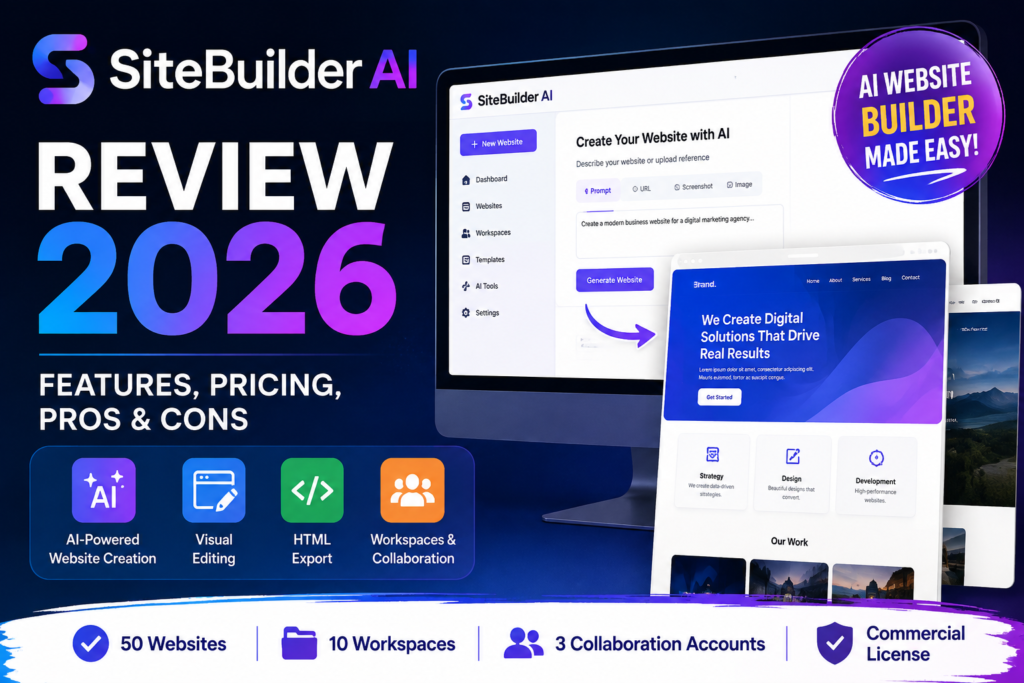
SiteBuilder AI launches on JVZoo on August 6, 2026. Instead of one generic “type a prompt and get a website” flow, it offers three separate ways to start a project: a written prompt, an existing URL used as a reference, or an uploaded image or screenshot. From there, you move into visual editing, organize your work across workspaces, and export finished HTML when you’re ready to hand the project off.
This review is based entirely on the public sales page and JV documentation available before launch. No hands-on testing was possible ahead of the August 6 launch date, so treat performance-related impressions as observations of the vendor’s own claims and demos, not independent benchmarking.
Quick Verdict
SiteBuilder AI appears best suited to freelancers, affiliate marketers, small agencies and designers who produce several websites and want exportable HTML.
Its strongest selling points are the ability to begin with different source materials, visually edit generated pages and manage as many as 50 websites across 10 workspaces. The included commercial-use license may also appeal to people creating completed websites for clients.
However, this is not an all-inclusive publishing service. You must arrange hosting, provide your own domain and pay separately for supported AI API usage. Several layout-generation modes are also identified as beta features.
Consider SiteBuilder AI when:
- You regularly create client websites or campaign pages.
- You want to generate an initial layout from a prompt, URL or image.
- You prefer exporting HTML instead of remaining entirely inside a hosted platform.
- You need separate workspaces for different brands or clients.
- You are comfortable managing hosting and API credentials.
Consider another platform when:
- You want hosting, SSL and domain management bundled together.
- You need a native WordPress plugin or theme ecosystem.
- You are building a complex server-side application.
- You expect AI to produce a publish-ready site without human review.
- You want a refundable subscription or a verified free trial.
What Is SiteBuilder AI?
SiteBuilder AI is a browser-based website production platform created by CYNOSURE Infotech. It combines AI-assisted content generation, image generation, beta layout creation, visual editing, project organization and HTML export.
Instead of forcing every project to begin with an empty canvas, it accepts several types of starting material. These include written instructions, an existing webpage, a screenshot, an image or a rough business brief.
The current subscription provides capacity for:
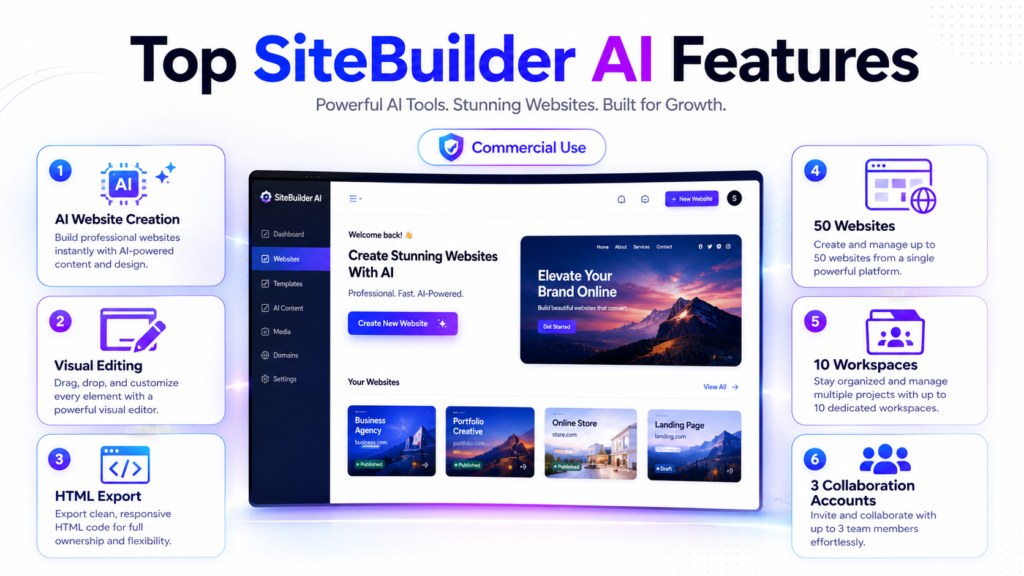
- Up to 50 websites
- 10 workspaces
- Up to three collaboration accounts
- Commercial website projects
- HTML export
The platform does not provide domains or website hosting. In addition, supported AI features require a compatible API key from a provider such as OpenAI or Google Gemini, with usage billed separately by that provider. SiteBuilder AI Review
SiteBuilder AI Review: Key Features
1. Multiple Ways to Start a Website
SiteBuilder AI supports more than a standard text-prompt workflow. Users can begin with:
- A written prompt
- An existing URL
- An image
- A screenshot
- A rough business or campaign brief
This flexibility could be useful when clients provide incomplete materials. For example, one client may send a written description, while another may share an old website or a screenshot of a design they like.
Still, users remain responsible for replacing copied branding, reviewing generated content and ensuring they have permission to use any reference materials.
2. AI Design Studio
AI Design Studio provides a guided creation process. Users can supply information about the business, audience and page objective before generating an initial design direction.
This mode may suit beginners who want more assistance during the early planning stage. However, the vendor identifies it as a beta capability, so its features and output may change.
3. AI Template Mode
AI Template begins with a prepared structure rather than a completely open canvas. It aims to give users a recognizable page framework that they can adapt with their own content, branding and calls to action.
This approach may work well for landing pages, service websites and other projects that use familiar sections.
4. AI Canvas
AI Canvas offers a less structured creative workspace. It is intended for users who want more freedom to explore page composition after generation.
Designers may prefer this mode when they do not want the AI to make every early layout decision.
AI Design Studio, AI Template and AI Canvas currently form part of the beta workflow. The vendor advises users to review and refine generated layouts rather than treating them as final deliverables.
5. AI Text and Website Content
The platform can generate page copy and supporting content. This may help users create an initial draft for service descriptions, benefit sections, calls to action, pricing areas and FAQs.
Nevertheless, AI-written content can contain inaccuracies or generic language. Users should fact-check every claim, rewrite weak passages and add original expertise before publication. SiteBuilder AI Review
6. Image Generation and Visual Sourcing
SiteBuilder AI can generate or source supporting visuals during the website-building process. This keeps content, imagery and layout work within a more connected workflow.
Users must still confirm licensing, usage rights and brand suitability. AI-generated images may also contain visual errors or resemble other generated outputs.
7. Visual Editing
After creating the first version, users can modify routine page details visually. The documented workflow includes adjustments to content, sections, colours, fonts and layout elements.
This feature may reduce the need to manually edit code for ordinary design changes. However, exported websites should still receive responsive, accessibility and browser testing.
8. Templates and Reusable Elements
SiteBuilder AI includes prepared page structures and reusable website elements. Users can reuse common sections such as:
- Headlines
- Benefits
- Calls to action
- Forms
- Pricing sections
- Frequently asked questions
Reusable sections could reduce repetitive work across client or campaign projects. Even so, each section should be adapted to the specific audience rather than copied unchanged.
9. Lead-Flow Connections
The published demonstrations describe support for sending captured enquiries into compatible autoresponder and webhook workflows.
However, the public page does not provide a complete named list of supported services. Buyers who need a particular email platform or automation tool should verify compatibility before subscribing.
10. Website and Workspace Management
A subscription supports up to 50 websites organized across 10 workspaces. Users can also add up to three collaboration accounts.
This setup may benefit freelancers and small agencies managing several brands, campaigns or client concepts. Still, larger teams may find the three-account collaboration limit restrictive. SiteBuilder AI Review
11. HTML Export
HTML export is one of SiteBuilder AI’s most practical differentiators. Users can export completed website files and publish them through a compatible hosting provider.
As a result, projects are not limited to publishing only inside the SiteBuilder AI platform. However, buyers must know how to upload, test and maintain exported website files or hire someone who does.
12. Commercial-Use License
The subscription includes commercial use for the buyer’s own business projects and completed client websites.
The licence does not allow users to resell, redistribute, sublicense or provide unauthorized access to the SiteBuilder AI application itself.
How Does SiteBuilder AI Work?
The documented workflow follows four main stages.
Step 1: Provide the Starting Material
Begin with a prompt, URL, image, screenshot or rough project brief. The quality and clarity of the source material will likely influence the usefulness of the first draft.
Step 2: Generate an Initial Direction
Choose a suitable creation mode and generate the first version. Depending on the workflow, the platform can assist with content, images and beta website layouts.
Step 3: Edit the Website
Review every section and adjust the copy, page order, typography, colours, images and calls to action. Users should also replace generic content with original business information.
Step 4: Export and Publish
Export the completed HTML and upload it to a compatible hosting environment. Before publishing, test responsiveness, navigation, forms, accessibility, tracking scripts and legal pages.
The vendor presents SiteBuilder AI as a way to reach an editable starting point faster—not as a replacement for strategy, professional development or quality control.SiteBuilder AI Review
Potential Benefits of SiteBuilder AI
Faster Initial Prototyping
Starting from a prompt, URL or screenshot may shorten the early concept stage. Instead of discussing an abstract design, teams can review something visible and suggest specific changes.
Less Repetitive Setup Work
Templates and reusable sections may reduce the need to rebuild standard page structures for every project.
Greater Delivery Flexibility
HTML export gives users a route to independent hosting and further customization outside the original platform.
Better Project Organization
Ten workspaces can help separate client projects, brands and campaigns. This may become valuable when one account contains dozens of website concepts.
Commercial Client Applications
The commercial licence allows completed client website projects, making the platform more relevant to freelancers and small agencies than a personal-use-only tool.
These are potential workflow benefits based on the documented feature set. The vendor does not guarantee that users will gain clients, increase conversions, rank in search engines or earn income.
SiteBuilder AI Pros and Cons
Pros
- Starts from prompts, URLs, images and screenshots
- Includes guided and flexible creation modes
- Generates text, images and beta layouts
- Provides visual editing controls
- Supports up to 50 websites
- Includes 10 workspaces
- Allows up to three collaboration accounts
- Includes commercial-use rights for completed client projects
- Exports finished HTML
- Provides monthly and annual billing choices
- Publishes clear account limits and outside costs
Cons
- Hosting and domains are not included
- AI generation requires a separately billed API key
- Several layout modes remain in beta
- AI output requires extensive human review
- Processed payments are generally non-refundable
- No verified free trial appears on the supplied pages
- Manual account setup may take up to two calendar days
- Collaboration is limited to three accounts
- It is not a WordPress plugin or theme system
- It is not designed for complex custom server-side applications
- The public documentation does not list every supported integration
- No independent performance benchmark has been published
SiteBuilder AI Pricing and Complete OTO Breakdown
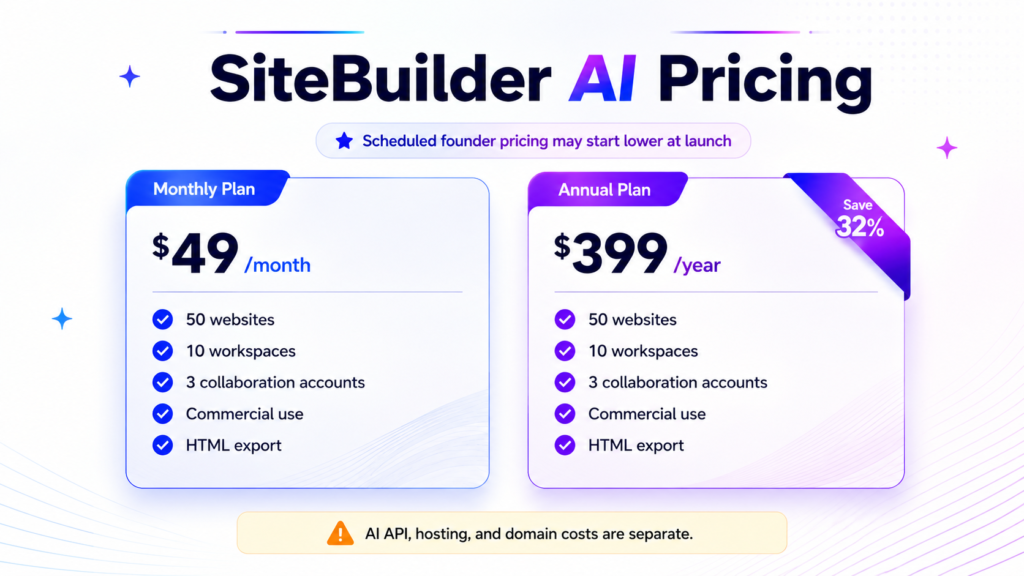
Pricing verification date: August 5, 2026.
Monthly Plan
Price: $49 per month
The monthly subscription includes the current creation modes, 50-website allowance, 10 workspaces, three collaboration accounts, commercial-use licence and HTML export.
It renews every month until cancelled.
Standard Annual Plan
Price: $399 per year
The annual subscription includes the same product access and account limits as the monthly plan. At the standard rate, it costs $189 less per year than paying $49 for 12 monthly billing cycles.
It renews annually until cancelled.
Scheduled Beta-Founder Annual Pricing
The JV partner page states that an automatic annual-price ladder will activate at the scheduled launch on August 6, 2026, at 8:00 a.m. Eastern Time:
| Annual purchase position | Scheduled price |
|---|---|
| Sales 1–5 | $299 per year |
| Sales 6–15 | $349 per year |
| Sale 16 onward | $399 per year |
According to the partner page, qualifying founder rates remain guaranteed for the initial term and the following two annual renewals, provided the subscription remains uninterrupted. After that minimum period, the price may change with advance notice.SiteBuilder AI Review
The amount displayed at JVZoo checkout controls the actual charge. Buyers should therefore verify the live price before completing payment.
Additional Costs
The subscription price does not cover everything required to publish a website.
Possible additional expenses include:
- AI API usage
- Website hosting
- Domain registration
- Premium third-party services
- Email marketing or automation services
- Professional development or testing assistance
Supported AI generation requires the buyer’s own compatible API key. The selected AI provider bills usage separately.
Refund Policy
Processed payments are described as non-refundable except where applicable law requires otherwise.
Cancelling prevents future renewal charges but does not automatically refund a payment that has already been processed. Buyers should read the checkout terms before subscribing.
Bonuses
At the time of writing, CYNOSURE Infotech’s own sales page does not list an official vendor bonus package. Any bonuses you see attached to a SiteBuilder AI promotion are most likely affiliate-created bonuses rather than something built into the core offer, and their contents will vary by whichever affiliate you buy through. Always check the specific bonus list on the page you’re buying from rather than assuming a standard package applies.
Who Should Buy SiteBuilder AI?
Affiliate Marketers
Affiliate marketers who regularly create review pages, bridge pages, bonus pages and campaign landing pages may benefit from reusable structures and HTML export.
Freelancers
Freelancers can turn client briefs into visual concepts before investing time in deeper development. This may make feedback more specific during the planning stage.
Small Agencies
Ten workspaces and support for 50 websites may help small agencies organize multiple concepts, brands and client projects.
Web Designers
Designers who receive screenshots or reference URLs can use those materials as starting points, then replace the content and branding with original work.
Developers
Developers may use the platform for prototypes and initial page structures before adding custom functionality elsewhere.
Coaches and Digital Creators
The system may suit webinar pages, registration pages, resource pages and straightforward promotional websites.
Local Businesses
Businesses that can arrange hosting may use it to create service pages, event pages and basic promotional websites.
Who Should Avoid SiteBuilder AI?
SiteBuilder AI may not be the right choice for people who:
- Want hosting and domain management in one subscription
- Need an advanced ecommerce backend
- Require a native WordPress environment
- Need complex databases or custom server-side functions
- Do not want to manage API keys
- Expect guaranteed search rankings or sales
- Need a large number of team accounts
- Want a no-review, fully automated website service
- Require a generous refund window
- Prefer a mature platform without beta functionality
Frequently Asked Questions
1. What is SiteBuilder AI?
SiteBuilder AI is an AI-assisted website production platform from CYNOSURE Infotech. It creates editable website starting points from prompts, URLs, images, screenshots and rough briefs.
2. Does SiteBuilder AI include hosting?
No. Users must export their completed HTML and publish it through a compatible hosting provider.
3. Does SiteBuilder AI require an API key?
Yes. Supported AI generation requires a compatible API key from a provider such as OpenAI or Google Gemini. The provider charges separately for usage.
4. Can SiteBuilder AI create a website from an existing URL?
Yes. Users can provide an existing URL as a structural or design reference. They remain responsible for replacing protected branding and creating original, compliant content.
5. Can SiteBuilder AI create a page from a screenshot?
Yes. An image or screenshot can guide the initial design direction and be converted into editable sections.
6. Can I export websites from SiteBuilder AI?
Yes. HTML export is included with both the monthly and annual subscriptions.
7. Can I use SiteBuilder AI for client websites?
Yes. The commercial-use licence covers the buyer’s own projects and completed client websites. It does not permit resale or unauthorized distribution of the software itself.
8. How much does SiteBuilder AI cost?
The standard price is $49 per month or $399 per year. A scheduled annual founder-price ladder begins at $299 for the first five qualifying annual launch sales, followed by $349 and then $399.
9. Does SiteBuilder AI offer refunds?
Processed payments are described as non-refundable except where applicable law requires otherwise. Cancellation stops future renewals.
10. Does SiteBuilder AI have OTOs or bonuses?
No separate OTO funnel or official customer bonus package was disclosed on the supplied official pages at the time of this review.
Final Verdict: SiteBuilder AI
This SiteBuilder AI review finds a platform with an interesting position between AI prototyping software and a traditional visual website builder.
Its support for prompts, URLs, images and screenshots gives users several practical ways to begin. Moreover, HTML export, 50 website slots and 10 workspaces could make the subscription useful for freelancers, affiliates and small agencies that produce websites repeatedly.
However, the platform is not a complete hosting solution. Buyers must supply hosting, a domain and a separately billed AI API key. They must also review every generated page for accuracy, originality, responsiveness, accessibility and legal compliance. SiteBuilder AI Review.
The monthly price may feel high for someone building only one small website. In contrast, users who actively manage many client or marketing projects may get more value from the multi-site allowance.
Overall, SiteBuilder AI appears most appropriate for people who understand that AI should accelerate the first draft—not replace professional judgment. Review the demonstrations, calculate the outside costs and confirm the live JVZoo price before subscribing.