Introduction
Short-form video is eating the internet, and almost every creator I know is tired of the grind that goes into it. Between scripting, filming, editing, and finding music that won’t trigger a copyright strike, a single 30-second clip can eat up an entire afternoon. KOL Studio Review
That’s the exact problem KOL Studio claims to solve. It’s a new Windows desktop application from a vendor called AutoVeos, launched on WarriorPlus, that promises to turn a one-line idea into a finished, ready-to-post TikTok, Reels, or YouTube Shorts video using Google’s Veo 3 video model.
In this review, I’ll walk through exactly what KOL Studio does, what it costs (including the upsells most reviews skip), and who it actually makes sense for. Everything here is based on the vendor’s official sales page and JV page — I haven’t personally run the software, and I’ll be upfront about that throughout
Check KOL Studio Current Offer
Quick Verdict
KOL Studio looks most interesting for Windows users who want to automate short-form AI video production and are comfortable connecting their own Google AI and language-model accounts.
The Starter offer is inexpensive during the launch promotion, and its automated workflow could reduce the manual work involved in producing multi-scene short videos.
However, buyers should understand three limitations immediately:
- The Starter license includes only 3 templates.
- Access is for 12 months, not lifetime.
- Google AI/Veo 3 and script-generation usage are not included in the software price.
Therefore, I would view KOL Studio as an automation layer around external AI services, rather than an unlimited AI-video platform with all generation costs included.
What Is KOL Studio?
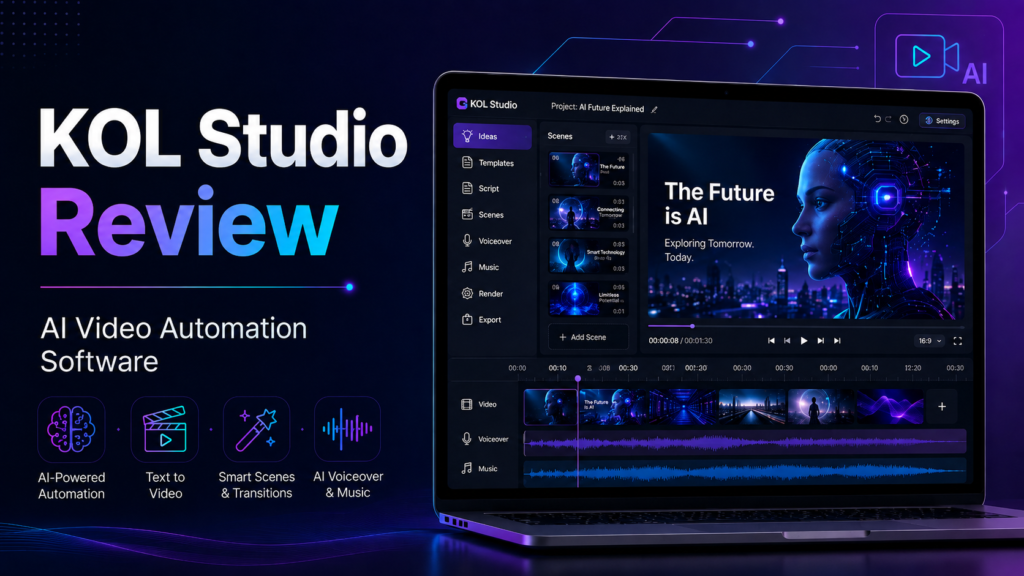
KOL Studio is an AI-assisted desktop video creation application from AutoVeos.
The software is designed primarily for short-form content such as:
- TikTok videos
- Instagram Reels
- YouTube Shorts
- Promotional short videos
- Product-focused videos
- Niche content channels
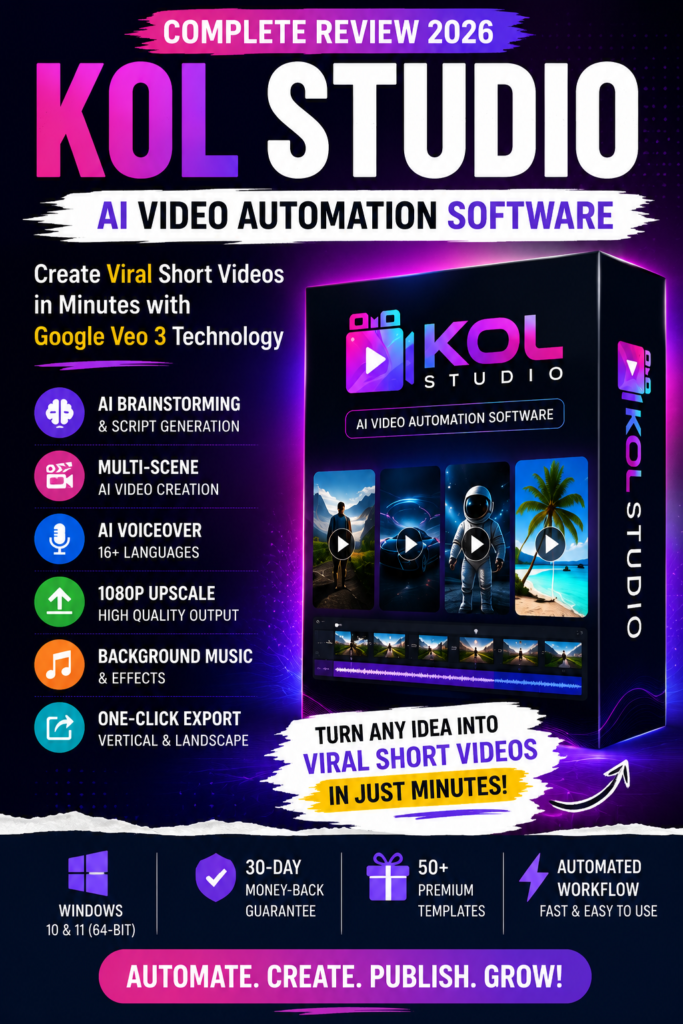
The vendor states that KOL Studio uses Google Veo 3 to generate individual video scenes.
It combines these generated scenes with automated scripting, voiceover, music, upscaling, and FFmpeg-based video merging to create a finished video.
The Starter license currently includes access to three templates selected from a larger catalog containing more than 50 template styles.
Importantly, the vendor’s claim that KOL Studio is the “world’s first” product of its type is a marketing claim from the sales material; I have not found independent evidence establishing that distinction.
Check KOL Studio Current Offer
KOL Studio Key Features
1. AI Brainstorming
Instead of requiring you to start with a complete script, KOL Studio can generate multiple content concepts from a short description.
The sales page states that the brainstorming system produces 10 content ideas, allowing you to choose an idea before building the video. KOL Studio Review
This could be particularly useful for creators who produce content frequently and struggle with topic ideation.
2. Automatic Character Generation
Users can either upload an image or allow the AI workflow to generate a character.
The system is designed to adjust elements such as the setting, appearance, and expression according to individual scenes.
For faceless channels, this may reduce the need to film actors or source stock footage manually.
3. Multi-Scene Script Creation
KOL Studio’s script-generation workflow can prepare structured scenes rather than simply producing a short paragraph.
According to the product page, these outlines can contain details relating to dialogue, camera angles, lighting, transitions, and effects.
That gives the video-generation engine more structured instructions for each scene.
4. Google Veo 3 Video Generation
Google Veo 3 is the underlying video-generation engine promoted by KOL Studio.
The software generates separate clips for scenes and allows multiple versions to be produced so users can select their preferred result.
The product page currently describes 8-second generated clips with two variants per scene and output up to 1080p through its workflow.
Keep in mind that your ability to generate videos ultimately depends on the limits and availability of your connected Google AI plan.
5. Automatic Voiceover and Music
KOL Studio includes an automated voiceover workflow.
The product page lists support for 16+ languages, including English, French, Spanish, German, Portuguese, Arabic, Hindi, Bengali, Chinese, Japanese, Korean, Vietnamese, and others.
Background music can also be incorporated into the final video workflow.
This makes the software potentially useful for creators targeting audiences in multiple languages.
6. One-Click Scene Mergin
After scenes are generated, users can select the preferred variation for each scene.
KOL Studio then uses FFmpeg to combine the selected clips into the finished video.
Therefore, you do not necessarily need to move every generated clip into a separate traditional video editor.
7. Vertical and Landscape Export
The software supports both:
9:16 vertical video for TikTok, Instagram Reels, and YouTube Shorts.
16:9 landscape video for conventional widescreen publishing.
That flexibility is useful if you publish content across multiple platforms.
8. Multi-Account Support
KOL Studio supports multiple Google AI accounts.
According to the product page, the software can rotate connected accounts and refresh authentication tokens as part of its generation workflow.
Users should still follow Google’s applicable account, usage, quota, and service policies.
9. Automated Multi-Scene Rendering
One of KOL Studio’s more interesting features is unattended rendering.
Once a project has been configured, the software is designed to process multiple scenes, upscale the outputs, add music, and prepare the final video with relatively little intervention.
For bulk content production, this automation could be more valuable than any individual AI feature. KOL Studio Review
10. 50+ Template Catalog
The platform advertises more than 50 niche-oriented templates.
Examples displayed on the current sales page include styles for product reviews, cartoons, health content, lifestyle videos, outdoor content, music, science fiction, action, horror, comedy, romance, historical content, and more.
However, the Starter license does not unlock the entire library.
You initially choose any three templates.
Additional templates require an upgrade.
How It Works
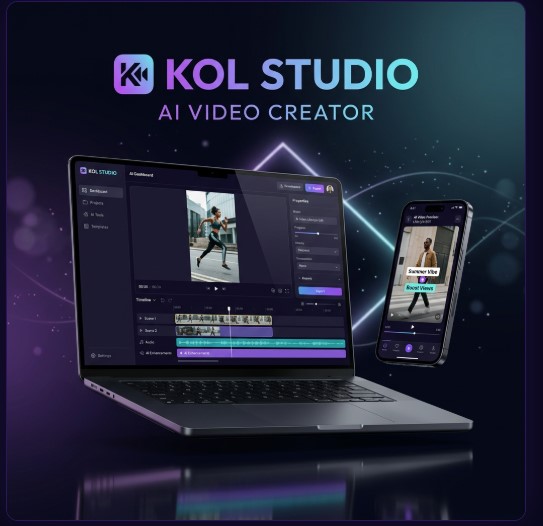
According to the demo walkthrough on the sales page, the process runs in seven steps:
- Enter your idea in a sentence or two.
- Select a template from your three included options.
- Upload a photo or auto-generate a character.
- Run AI Brainstorm to get 10 content concepts and pick one.
- Generate — the software writes the script and renders every scene with two variants.
- Select and merge your preferred scene variants into a final cut.
- Publish, exporting in the correct format for TikTok, Reels, or YouTube Shorts.
The vendor estimates 15–30 minutes per finished video, depending on your internet connection and how busy Google’s AI servers are at the time.
One detail worth repeating clearly: KOL Studio does not include AI generation credits. You need your own Google One AI Pro or Ultra subscription to actually generate Veo 3 video, plus a small-cost OpenRouter or Google Gemini API key (quoted at roughly $0.01 per minute of video) to power the script writer. The $17 covers the software license only — not the AI usage behind it.
Check KOL Studio Current Offer
Key Benefits of KOL Studio
Reduced Manual Editing
Its strongest potential benefit is workflow automation.
Instead of manually moving between an idea generator, scriptwriter, video generator, voice tool, music source, upscaler, and editor, KOL Studio attempts to organize much of that workflow in one desktop application.
Useful for Short-Form Content
The 9:16 export format and multi-scene structure are clearly designed with social short-form videos in mind.
Multilingual Content
Support for 16+ languages could make the tool useful for multilingual channels and international campaigns.
Flexible AI Costs
Because users provide their own AI accounts, KOL Studio itself does not add a per-video generation charge.
However, this benefit comes with a tradeoff: you remain responsible for the AI-provider costs. KOL Studio Review
Template-Based Workflow
Templates could make it easier for beginners to maintain a consistent structure across videos without designing every project from scratch.KOL Studio Review
KOL Studio Pros and Cons
Pros
- Automates several stages of short-video creation
- Uses Google Veo 3 in its video-generation workflow
- Generates multi-scene scripts and video sequences
- Supports automatic voiceover and background music
- Supports 16+ languages
- Exports vertical and landscape formats
- Includes automated scene merging
- Offers more than 50 template styles through the wider funnel
- Starter purchase currently has a relatively low launch price
- 30-day money-back guarantee is advertised
- Supports Windows 10 and Windows 11 64-bit systems
Cons
- No Mac version currently
- AI generation credits are not included
- Requires a compatible Google AI subscription/account
- Requires a separate script-generation provider such as OpenRouter or Google Gemini API
- Starter license includes only three templates
- Front-End access lasts 12 months rather than lifetime
- Full template access requires an additional upgrade
- Final generation capacity still depends on external AI-provider limits
- AI-generated videos may still require human review before publishing
- Marketing claims about “viral” results should not be treated as guaranteed outcomes
Pricing & Complete OTO Breakdown
KOL Studio is sold through a standard WarriorPlus funnel. Here’s what the vendor lists:
| Step | Product | Price | What You Get |
|---|---|---|---|
| Front-End | KOL Studio Starter | $17 (launch price; vendor lists regular price as $97) | Software license, 3 templates of your choice, 1 PC, 12 months of access, 16+ language voiceover, 9:16/16:9 export, free updates for 12 months, email support |
| OTO 1 | Pro Pack | $37 | Unlocks 10 additional premium templates |
| OTO 2 | Agency License | $97 | All 50+ templates, use on 5 PCs, resell rights |
| OTO 3 | Lifetime Access | $147 | All templates, 10 PCs, pay-once lifetime access instead of the 12-month term |
If you buy every step of the funnel, the total spend on the software side would be $298 ($17 + $37 + $97 + $147) — and that’s before your separate Google AI Pro/Ultra subscription and OpenRouter or Gemini API costs. KOL Studio Review
It’s worth noting the front-end is framed as “1 Year Access,” meaning the base license isn’t lifetime unless you purchase OTO 3. Budget for renewal or the lifetime upgrade if you plan to use this long-term.
Bonuses
The sales and JV pages reviewed for this article do not list a specific bonus package attached to the front-end offer. If the vendor or a promoting affiliate adds bonuses later, verify exactly what’s included and whether it requires purchasing a specific OTO before assuming it applies to your order.
Check KOL Studio Current Offer
Who Should Buy KOL Studio?
KOL Studio may suit:
- TikTok creators
- YouTube Shorts creators
- Instagram Reels creators
- Faceless-channel operators
- Affiliate marketers
- Social media marketers
- Freelancers
- Small agencies
- Local businesses producing promotional content
- Creators experimenting with AI video
- Users who already have access to the required Google AI services
It becomes more appealing if you create short videos frequently enough for automation to save meaningful time.
Who Should Avoid KOL Studio?
You may want to skip it if:
- You use only macOS
- You expect AI credits to be included
- You want lifetime access from the $17 Front-End purchase
- You need all 50+ templates without purchasing an upgrade
- You prefer a fully browser-based application
- You do not want to configure external AI accounts or API services
- You expect every generated video to be publication-ready without reviewing it
It is also unsuitable for anyone expecting software to guarantee views, followers, engagement, or income.
AI can accelerate content production, but it cannot guarantee audience response. KOL Studio Review
KOL Studio FAQs
1. What is KOL Studio?
KOL Studio is a Windows desktop application that automates the creation of AI-generated short videos through scripting, scene generation, voiceover, music, upscaling, and video merging.
2. Does KOL Studio use Google Veo 3?
Yes. The current product documentation identifies Google Veo 3 as the video-generation engine used within its workflow.
3. How much does KOL Studio cost?
The Front-End launch price was listed at $17 for 12 months of Starter access when this review was researched on August 9, 2026. Pricing may change.
4. Is KOL Studio a lifetime deal?
Not at the Front-End level. Starter access lasts 12 months. A separate $147 Lifetime Access upgrade appears in the current funnel.
5. Does KOL Studio include Google Veo 3 credits?
No. Users connect and pay for their own compatible Google AI services.
6. How many templates are included?
The Starter license lets you choose three templates. The wider catalog contains 50+ templates, while additional templates are available through upgrades.
7. Can I use KOL Studio on Mac?
Not currently. The verified product page lists Windows 10/11 64-bit support and states that a Mac version is only on the development roadmap.
8. Can KOL Studio create videos in multiple languages?
Yes. The vendor currently lists support for more than 16 languages, including English, Spanish, French, Hindi, Bengali, Chinese, Japanese, and several others.
9. Does KOL Studio offer a refund guarantee?
The current sales page advertises a 30-day money-back guarantee. Buyers should still review the vendor’s current refund policy and checkout terms before purchasing.
10. Is KOL Studio worth buying?
It may be worth considering if you are a Windows-based short-form content creator who already understands the additional cost of external AI services.
However, it is less attractive if you expect an all-inclusive AI-video platform, need Mac support, or want lifetime access and every template in the basic package.
Final Verdict
KOL Studio addresses a genuine bottleneck in AI video creation: managing multiple steps and turning individual AI-generated clips into complete short-form videos.
Its strongest selling point is not simply access to an AI model. Instead, its value lies in workflow automation.
Brainstorming, scripting, character generation, scene generation, voiceover, music, upscaling, and merging can all be coordinated from a single Windows application.
The $17 Starter offer is inexpensive compared with many full creative platforms, but buyers should not evaluate that price in isolation.
You still need compatible external AI services, the Starter package provides only three templates, and your initial license lasts 12 months.
Overall, KOL Studio could be useful for creators who want to produce short-form AI content at scale and already have—or plan to pay for—the necessary AI accounts.
For buyers expecting everything to be included in a single $17 payment, the offer requires closer examination.
Check KOL Studio Current Offer